

I vividly remember the moment I realized the true price of relying on a venue’s free WiFi during a high-stakes corporate presentation. The room was packed, nerves were high, and I was counting on that connection to impress clients. Suddenly, everything froze. The internet went dead. Turns out, that ‘free’ WiFi was a silent gatekeeper to chaos, with hidden costs lurking beneath its convenience. If you’ve ever experienced a sluggish connection or, worse, a total blackout during an important event, you’re not alone. Relying on free venue WiFi may seem like a budget-friendly choice, but it can introduce unexpected challenges that impact your professionalism and guest experience.
Why your event’s WiFi can sabotage your success
Many assume that free WiFi is a helpful perk, but behind the scenes, it often isn’t built for the kind of heavy usage that a well-organized launch or wedding requires. Think about the number of devices connected simultaneously—laptops, smartphones, tablets—and the streaming, downloads, or live presentations they might demand. When this traffic exceeds capacity, it isn’t just slow; it can cause disconnects, dropped signals, and data breaches. In fact, a survey revealed that over 60% of event planners experienced WiFi failures that disrupted activities, costing sponsors and hosts thousands in remedial efforts (source: Eventbrite). My early mistake was trusting that the venue’s free network could handle my needs. I learned that assumption the hard way, with frustrated attendees and a tarnished reputation.
Is free WiFi actually worth the hype?
Here’s the truth—what seems like a cost-saving measure can become a major expense in disguise. Not just financially, but strategically. One overlooked aspect is security; public networks are a goldmine for data theft. Imagine sensitive corporate discussions or private guest information being vulnerable. Furthermore, network congestion can lead to poor user experience, causing attendees to disconnect or lose interest. Have you faced this challenge? If so, you’ll want to avoid the pitfalls and learn how to ensure your connectivity is as seamless as your event itself.
In the next section, I’ll share some practical tips based on my experience to safeguard your event’s digital backbone and avoid those costly surprises. Ready to take control of your WiFi experience?
Opt for Dedicated Internet Connections and Skip Public WiFi
Start by investing in a dedicated, high-speed internet line tailored for your event. This is like hiring a private chef rather than relying on a buffet; it ensures consistency and quality. I learned this lesson firsthand when my team used the venue’s shared WiFi for a product launch, leading to sluggish connections and frustrated attendees. To avoid this, arrange for a dedicated fiber connection that can handle multiple devices simultaneously, keeping everyone connected without hiccups.
Work with a Professional IT Service to Set Up a Robust Network
Engage with an IT professional or service experienced in event setups. They will design a secure network, set up firewalls, and perform a site survey to identify potential dead zones—much like a landscape architect plans pathways to optimize flow. For one wedding, I collaborated with an IT team who implemented a dual-network system: one for staff and vendors, another for guest devices. This segregation maintained security and prevented bandwidth overload, leading to a seamless experience.
Conduct a Venue Site Survey
Visit the location before the event to assess signal strength and potential interference. Think of it as mapping a new city: knowing where the dead zones are helps you plan antenna placements, similar to placing streetlights for visibility. During a corporate seminar, I mapped out the venue’s weak spots and arranged for additional access points, significantly improving WiFi stability during the event.
Ensure Redundancy with Backup Connectivity Options
Always have a backup, such as mobile hotspot devices or secondary internet lines. Like carrying a spare tire, redundancy safeguards against failure. At a gala, when the primary line unexpectedly dropped, switching to a backup allowed the live stream to continue uninterrupted, saving the event from embarrassing downtime. Confirm that the backup connections are tested and configured for automatic failover to minimize disruptions.
Implement a Network Management Strategy
Use bandwidth management tools to prioritize critical activities like live streaming or presentations. This is comparable to air traffic control managing planes’ routes to prevent collisions—ensuring essential data flows smoothly. During a product launch, I configured the network to give priority to the presentation device, preventing lag during key moments and keeping the audience engaged.
Train Staff or Hire Experts for Real-Time Monitoring
Have a dedicated team or hire specialists who can monitor network performance during the event. Think of them as traffic controllers guiding vehicles—a quick reaction to issues avoids gridlock. During a conference, real-time adjustments by the tech team kept everyone online, avoiding potential chaos or downtime.
Use Secure and Encrypted Networks to Protect Data
Security should be a priority. Set up encrypted WiFi with unique passwords for staff and guests, similar to locking doors to secure valuables. For sensitive corporate meetings, this prevents data breaches and eavesdropping, maintaining professionalism and confidentiality. Avoid using the generic network provided by the venue, which is often unsecured and vulnerable.
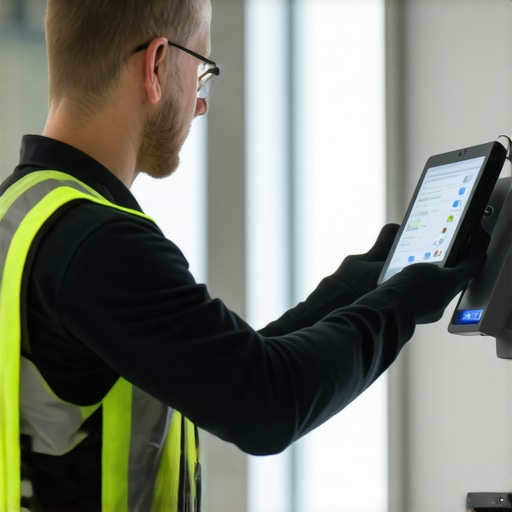
Illustration of a professional network setup with multiple access points and secure connections at a corporate event venue.
Many assume they know the essentials of successful events, but there are nuanced pitfalls that even experienced planners often overlook. Common myths include the belief that a well-decorated venue can compensate for poor service or that more food always equals happier guests. In reality, the 80/20 rule applies—80% of guest satisfaction depends on thoughtful execution, not just aesthetics or quantity. One advanced mistake is undervaluing the importance of synchronized timing among vendors, which can lead to awkward lulls or rushes that disrupt the flow. For instance, timing the arrival of heavy equipment like audio-visual gear with catering staff requires meticulous planning; neglecting this can cause delays that ripple through the event. Moreover, many underestimate the power of data and feedback loops—collecting real-time guest responses can help adjust service tactics, preventing small issues from becoming larger disappointments. According to a study by EventMB, proactive communication with vendors and continuous monitoring increases event success rates by up to 30%. Don’t fall into the trap of thinking that a generic approach works universally; each event demands tailored strategies. For example, wedding catering trends now lean toward personalized menus that reflect the couple’s story, which enhances guest engagement. Check out more expert tips on elevating your wedding with professional servers and catering techniques at this resource. Similarly, mastering server efficiency—like effective clearing procedures during speeches—can significantly improve guest experience; learn more about the skills that make servers exceptional. An often-overlooked nuance is the significance of pre-event briefings with your team, which clears confusion and sets clear expectations, as discussed here. Don’t forget, managing the perception of luxury isn’t just about expensive decor or elaborate menus but also about seamless service and attention to detail. For high-stakes events, integrating advanced server techniques and technology, like real-time feedback apps or optimized workflows, can make the difference between good and unforgettable. So, have you ever fallen into this trap? Let me know in the comments.
Choose Reliable Networking Equipment for Long-Term Success
Investing in quality networking gear is crucial. I personally rely on brands like Ubiquiti UniFi for access points, as they offer scalable solutions that maintain strong signals even in challenging venues. Setting up multiple access points and creating a mesh network ensures seamless coverage, reducing dead zones during critical moments. Regular firmware updates from the manufacturer enhance security and performance, ensuring your network adapts to evolving threats and tech advancements. Using enterprise-grade routers and switches, like Cisco or Netgear’s business lines, helps future-proof your setup, especially as your events grow in size and complexity. These investments pay off by minimizing downtime and security vulnerabilities over time.
Automate Maintenance with Monitoring Software
Utilizing network monitoring tools is a game-changer. I personally recommend PRTG Network Monitor because it provides real-time alerts on bandwidth usage, device health, and potential threats. Setting up automated scans and alerts allows you to proactively address issues before they disrupt your event. For instance, I schedule weekly health checks and keep an eye on load balancing to prevent bottlenecks. These insights help maintain optimal performance during high-pressure moments, like a keynote speech or live stream. Implementing such tools reduces manual oversight and ensures swift responses, especially during back-to-back events.
Regularly Test Your Backup Solutions
Never assume your backup connections will automatically kick in without testing. I make it a point to periodically verify mobile hotspots and secondary lines are working and properly integrated into the network. Perform dry runs where you simulate primary network failure to ensure failover occurs smoothly. This process revealed unforeseen issues in some setups, such as DHCP conflicts or insufficient bandwidth, which I resolved well before event day. Planning for redundancy and confirming that backup solutions are functional is essential for maintaining flawless operations, especially for large or high-stakes events like weddings or corporate conferences. According to Cisco’s technical guides, consistent testing of backup paths drastically reduces downtime risks.
How do I maintain my tech infrastructure over time?
Adopting a scheduled maintenance routine is the key. This includes firmware updates, cleaning hardware components to prevent overheating, and reviewing network configurations. Maintaining good documentation of your setup helps troubleshoot issues quickly. Keeping a detailed inventory of equipment, configurations, and maintenance logs allows you to identify patterns that could lead to failures. Over time, relationships with reliable vendors and technicians become invaluable, granting access to priority support and updates. As technology continues to evolve rapidly, staying current with industry best practices is essential. Predicting future trends, I believe AI-driven network management tools will become standard, further simplifying maintenance Tasks. Trying out advanced tools like PRTG can help streamline this process and keep your infrastructure resilient.
Lessons That Changed How I Approach Event Tech and Service
One of my key realizations is that overlooking the simplest details—like testing backup internet or briefing staff thoroughly—can turn an event into a troubleshooting nightmare. I once thought that relying on a venue’s WiFi was sufficient until a sudden outage derailed a major corporate seminar, reminding me why proactive planning is essential. Additionally, I learned that investing in quality network equipment and continuous staff training creates an invisible safety net, ensuring that even under pressure, service remains impeccable. Finally, understanding the nuanced communication between servers and technicians can be the difference between a good event and an unforgettable experience, a lesson I carry into every planning session today.