

I’ll never forget the first time I sat down with a newlywed couple to review their highlight reel. We hit play, the beautiful cinematic shots of the first dance faded in, and then it happened. Instead of their chosen song, the speakers emitted a harsh, rhythmic crackle. It sounded like a radio station from 1920 struggling to find a signal. I watched the bride’s face go from excitement to confusion, and honestly, I felt my stomach drop through the floor. It was a disaster. All that preparation, and the audio was a mess of hiss and pop.
Static Isn’t Just Bad Luck
Most people think static is just one of those things that happens with technology, but I’ve learned the hard way that it’s almost always preventable. Early in my career, I made the amateur mistake of assuming that the venue’s built-in sound system would play nice with my recording gear. I didn’t realize that in a room packed with 200 smartphones, the airwaves are essentially a battlefield. Today, I’m going to pull back the curtain on why this happens and how you can ensure your toasts are heard clearly, not drowned out by digital noise. We will look at everything from the hidden risks of using wireless microphones near heavy Wi-Fi usage to the simple hardware fixes that save your audio. Have you ever experienced that heart-sinking moment when you realize your precious memories are hidden behind a layer of white noise? [image placeholder]
Is perfect audio even possible in a crowded ballroom?
You might be wondering if you’re fighting a losing battle, especially when you have a 10-piece band and a room full of guests chatting. It is possible, but it requires more than just a set-it-and-forget-it attitude. According to technical reports from the Audio Engineering Society, Radio Frequency (RF) interference has spiked in public venues over the last decade due to the saturation of mobile devices. This is why I always tell couples that your videographer needs a soundboard patch for the toasts to capture a clean signal directly from the source rather than relying on air-waves alone. While you are worrying about the sound of the speeches, don’t forget that the physical environment plays a huge role too. I’ve seen many events where nobody thought to balance the acoustics of a crowded cocktail hour, leading to a wall of noise that even the most expensive microphones can’t cut through effectively.
Stop Trusting the Airwaves
Think of your wireless microphone signal like a conversation at a crowded party. If everyone is whispering, you can hear perfectly. But the moment 500 guests start shouting, you can’t even hear the person standing right next to you. In a modern ballroom, every smartphone, tablet, and smartwatch is “shouting” on the same radio frequencies. To fix this, you need to stop viewing wireless as the default and start seeing it as a luxury you only use when necessary. I once worked a high-stakes corporate gala where the wireless signal dropped completely the moment the main course was served. Why? Because the catering team entered with 40 tablets all syncing to the local router at once. It created a literal invisible wall for the audio signal. If we hadn’t had a wired backup on standby, the CEO would have been speaking into a dead mic while 400 people stared in silence. This is why ensuring your server team needs a clear chain of command on site is vital; they need to know that their tech usage can directly impact the show’s production.
Ditch the Wireless Mic for the Big Speeches
It feels glamorous for a speaker to pace the stage with a cordless mic, but it is a massive gamble during the most important moments. If your videographer or sound technician doesn’t have a direct line out of the soundboard, they are often just recording the “room noise.” You should always insist on a wired XLR connection for any stationary podium. It is the difference between a grainy, low-res photo and a 4K image. When I’m planning the layout for a high-profile client, I treat the audio cable like a literal lifeline. We run it under the carpet or through the ceiling—whatever it takes to avoid the airwaves. This becomes even more critical when you are trying to figure out how to mask echo in a high-ceiling industrial wedding venue. In those cavernous spaces, a clean, wired signal is your only defense against the natural reverb of the room. 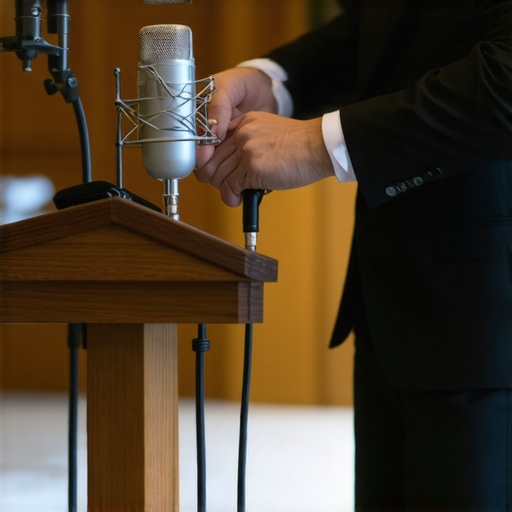
How to Keep the Kitchen From Crashing Your Audio
The best sound system in the world cannot save your recording if the clinking of silverware is louder than the person speaking. High-frequency sounds, like a fork hitting a ceramic plate or a tray of glasses being set down, cut through speech like a hot knife through butter. I’ve seen emotional wedding toasts completely ruined because the kitchen doors were left propped open right behind the head table. You must proactively learn how to keep the kitchen noise from ruining your keynote speech by positioning the audio setup away from service entrances and using physical barriers. If you are struggling with how to staff a VIP lounge without overwhelming the guests, remember that every additional staff member is another potential source of background noise. I now make it a standard rule to brief the catering lead to pause all clearing of plates the second the Best Man stands up. That thirty-second pause in service can be the difference between a heartfelt memory and a recording that sounds like a construction site.
Manage Your Staff Movement Like a Choreographed Dance
Sound management is about more than just hardware; it is about the humans in the room. People are essentially giant bags of water, and water absorbs radio frequencies. If a wall of servers stands between your wireless microphone and its receiver, your signal will drop. I remember a wedding where the signal was perfect during the soundcheck, but the moment the room filled with guests and the server team began the first course, the audio started to jitter. We had to quickly move the receivers higher on the walls to get a clear line of sight over the heads of the crowd. Now, I always map out the ‘server paths’ during the floor plan phase to ensure no one is walking through the ‘invisible’ beam of the microphone signal.
Why Throwing More Staff at a Problem Usually Fails
Common wisdom suggests that the more money you throw at a problem, the faster it disappears. In the event world, this usually translates to hiring a massive fleet of servers to ensure ‘luxury’ coverage. But here is the nuance most planners miss: an uncoordinated crowd of staff is just as disruptive as an uncoordinated crowd of guests. I have seen events where the signal-to-noise ratio plummeted not because of faulty gear, but because the floor was cluttered with people who didn’t know where to stand. To avoid this, you must learn how to spot a fake luxury server team before they ruin your gala. A true professional team operates with surgical precision, moving in unison to avoid blocking the ‘line of sight’ required by high-end wireless receivers. If you just hire a dozen bodies without a lead, you aren’t buying service; you’re buying interference. This is why effective catering strategies for corporate event impressiveness always prioritize the quality and training of the individuals over the sheer quantity of the waitstaff.
Why does your audio fail the moment the main course hits the table?
It sounds like a conspiracy theory, but it is actually physics. A study by the National Institute of Standards and Technology (NIST) on signal propagation confirms that the human body is remarkably efficient at absorbing and scattering radio frequencies in the 2.4 GHz range—the exact range many wireless mics and Wi-Fi routers occupy. When your server team enters the room en masse to serve the main course, they create a moving, liquid wall that can literally ‘shadow’ your receivers. This is the ‘Oops’ factor that catches even seasoned planners off guard. If your team isn’t briefed on their physical positioning, they can unknowingly stand directly between the speaker and the antenna, causing that dreaded digital drop-out. This is exactly why your server team needs a clear chain of command on site. A designated Captain can direct traffic away from sensitive tech zones, ensuring the service is seamless and the audio stays crisp.
#IMAGE_PLACE_HOLDER_C#
Don’t Let Amateur Mistakes Ghost Your Event Quality
I see it every season: a client tries to save a few hundred dollars by opting for less experienced labor, unaware of the hidden risks of hiring student servers for high-end events. While their enthusiasm is great, they lack the ‘spatial intelligence’ that comes with years on the floor. An experienced server knows to keep their tablet or walkie-talkie away from the audio rack; a novice will set their charging phone right on top of your mixer. These tiny, technical oversights are what lead to the static I mentioned earlier. If you are aiming for a high-stakes production, you need to boost your corporate event with expert server techniques that include ‘radio silence’ protocols during keynotes. Mastering the technical side of an event means realizing that the catering staff are not just food carriers; they are part of the production environment. Have you ever fallen into this trap where a simple logistics error ruined a big moment? Let me know in the comments. We can dig deeper into how to audit your next venue for these hidden ‘dead zones’ before you sign the contract.
Build a Tech Setup That Doesn’t Quit
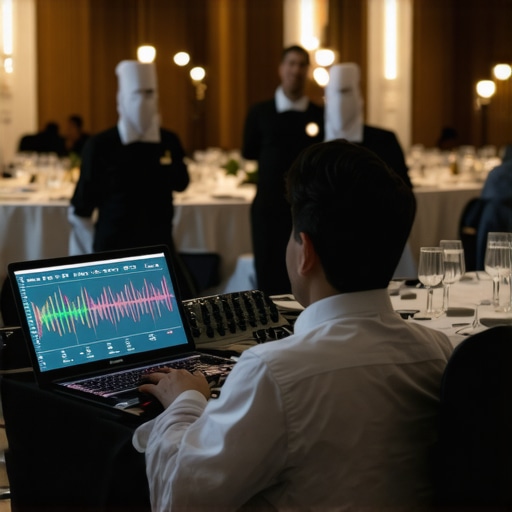
Once you’ve addressed the physical interference caused by a busy server team, you have to look at the bones of your system. I stopped using consumer-grade gear years ago because it simply cannot handle the ‘dirty’ airwaves of a modern luxury hotel. I personally swear by the Shure Wireless Workbench software. This isn’t just a fancy dashboard; it’s a coordination tool that allows me to scan the local RF environment and calculate a clear set of frequencies before the first guest even walks in. According to Shure’s technical documentation on RF coordination, failing to account for ‘intermodulation’—where multiple signals create their own ghost frequencies—is the primary cause of mid-event dropouts. If you’re optimizing server efficiency to enhance event satisfaction, you must also optimize your signal paths. I’ve found that using a dedicated RF distributor like the UA844+ allows me to run multiple receivers off a single pair of high-gain antennas, drastically reducing the ‘antenna farm’ clutter that usually causes signal collisions.
How do I maintain peak performance over long event seasons?
Reliability isn’t a one-time setup; it’s a lifestyle. After every high-stakes gala, I perform what I call a ‘stress audit.’ This involves checking every XLR cable for continuity and cleaning the gold-plated pins with DeoxIT. It sounds obsessive, but oxidation is a silent killer of audio quality in humid environments like summer tent weddings. If you want a seamless wedding reception, your hardware needs to be as polished as your silver service. I also follow a strict ‘retirement’ policy for batteries. I use Eneloop Pro rechargeables for rehearsals, but for the actual ceremony or keynote, I only use fresh, high-drain Procell alkalines. I’ve seen too many ‘green’ initiatives fail because a rechargeable battery hit its cycle limit in the middle of a CEO’s speech. Keeping an essential checklist for successful corporate event catering should always include a technical sub-section for your A/V requirements.
The Shift Toward Fully Digital Audio Environments
Looking ahead, the industry is moving toward fully networked audio. We are moving away from thick bundles of copper wire and toward Dante-enabled systems where a single Cat6 cable can carry 64 channels of pristine audio. This trend is the future because it eliminates the hum and buzz associated with long analog cable runs through kitchens and service corridors. In my experience, these wedding catering trends to impress guests in 2025 are going to require planners to understand more about IT than ever before. If your venue’s network isn’t segmented, a guest uploading a 4K video to Instagram could technically lag your digital audio stream if they are on the same VLAN. This is why I always insist on a dedicated, air-gapped network for production. You have to boost your corporate event with expert server techniques that include a ‘tech-first’ mindset for the entire staff.
Ditch the ‘Good Enough’ Mentality
I predict that by 2026, AI-driven noise suppression will be standard in every digital mixer, capable of identifies the specific frequency of a falling fork and ducking it in real-time. Until then, you are the filter. I challenge you to try this at your next event: conduct a ‘silent rehearsal’ where the server team practices a full plate clearing while you listen to the room through the microphones. You’ll be shocked at what the mics pick up. Adjusting your floor plan and using heavy-duty drapery can solve 90% of these issues before they reach the recording. If you want to dive deeper into the logistics of these high-level setups, check out the ultimate guide to corporate event catering logistics for a full breakdown of equipment placement and staff flow.
The Hardest Lesson I Learned About Silent Interference
After years in the trenches, I realized that the biggest threat to your audio isn’t a broken cable—it is the invisible environment of the room itself. I used to think that buying the most expensive receiver would solve everything, but I quickly learned that even a $5,000 microphone is useless if it is fighting for airwaves against a hundred smartwatches. One of my biggest lightbulb moments came when I started treating the event space like a radio station; you have to claim your frequency early and defend it. I also learned to never trust a ‘clean’ soundcheck in an empty room. The acoustics and the RF landscape change the second those 200 ‘bags of water’ (your guests) walk through the door. Now, I rely on wedding catering tips from industry experts to help coordinate staff movement so they never block my antenna’s line of sight during a toast.
The Essential Toolkit for Crisis-Proof Audio
If you want to move beyond the ‘plug and pray’ method, you need a few specific tools in your bag. I never go to a high-stakes gala without my RF Explorer, a handheld spectrum analyzer that lets me see exactly which frequencies are crowded before I even turn on a mic. For software, Shure Wireless Workbench is my bible for coordinating complex setups. I also carry a set of high-shielded Mogami XLR cables; while they are an investment, they are the only thing that consistently blocks the electromagnetic hum from nearby kitchen equipment. Using top server tips to elevate your event experience means ensuring your tech team and catering lead are using the same ‘map’ of the room to avoid placing high-interference tech near the speaker’s podium. [image placeholder]
The Future of Your Soundstage
As we move into an era where every guest is a walking Wi-Fi hotspot, the margin for error is shrinking. But don’t let that intimidate you. When you focus on the physical logistics and the technical coordination, you aren’t just preventing static; you are protecting the emotional weight of the words being spoken. Whether it’s a CEO’s vision or a father’s blessing, these moments deserve to be heard without a single pop or hiss. By mastering corporate event planning secrets to seamless success, you ensure that the technology fades into the background, leaving only the memory behind. Your next event can be the one that sounds as perfect as it looks. Have you ever had a wireless microphone fail at the worst possible moment? Let me know below.